In the early days of restaurant apps for online ordering, development options were limited.
Most restaurants would have to hire a team of developers to create a custom app for them — an expensive and time-consuming choice. Now, there are way more options for restaurant app development, including third-party platforms that help you stretch your dollar farther.
But do you really need to develop a restaurant app? Where do you even start? And how do you know what option is right for you?
In this blog, we’ll guide you through all things related to restaurant app development, from why you should invest in app development and how to get started, to the different paths you can take and how to tell which one’s right for you.
Why You Should Invest In Restaurant App Development
Tons of restaurant owners have invested in app development over the past few years and for good reason. From better customer experiences to boosting loyalty, here are just a few of the benefits you can see when you invest in a restaurant app.
Enjoy smoother, faster operations
A strong restaurant app can streamline your operations from end to end, getting orders from your app to the kitchen to your customers’ hands faster and more accurately.
→ See how Sips Coffee improved their ordering process with Craver x Fresh KDS
Create better customer experiences
A restaurant app can help you deliver a better experience for your customers, with easy-to-use features like order ahead and custom branding that help things feel like you.
→ See how Dalina’s app simplifies the order-ahead process while keeping things on-brand
Boost digital/online orders
With a restaurant app, you can boost the number of online orders you receive, reaping all the benefits of online ordering, like increased revenue, reduced lines, and faster service speed.
→ See how Empire Coffee’s app shifted ordering habits, with 50% now coming through the app
Improve in-store efficiencies
A restaurant app can help achieve efficiencies across all parts of your business, from reducing the staff needed to take orders to simplifying order fulfilment and reducing errors.
→ See how Rook Coffee’s app helped reduce front-of-house staffing needs during peak hours
Strengthen customer loyalty
Your restaurant app can help strengthen customer loyalty, not only through rewards programs but also through personalized upsells, push notifications, and exclusive discounts.
→ See how Hometown’s app gets customers to spend more and buy more frequently
Restaurant App Development: Where to Start
Now that you know why restaurant app development is so important, it’s time to figure out how to actually get started. Here are the six steps to start developing your own restaurant app.
1. Set your goals
The first step in restaurant app development is figuring out why you want an app.
Do you want to boost customer loyalty? Make ordering ahead easier? Streamline orders from the customer to the kitchen? Set goals ahead of time so you can make sure your new app is aligned every step of the way.
2. Decide which features you want
Once you know your “why” for starting restaurant app development, you need to decide what features you want your app to have.
You can pick and choose what features your restaurant app has, but there are a few must-have features that every good restaurant app has — like mobile ordering, POS integrations, a loyalty program, push notifications, and more.
→ Check out our blog on the all-time best restaurant apps for some inspiration as you’re planning out your own app.
3. Choose the right path
The third step in restaurant app development is picking the right “route” for your business.
You can build in-house, hire an agency, use a no-code builder, or choose a white-label platform. Compare each route’s costs, timeline, flexibility, and support before deciding.
4. Connect your existing systems
Once you’ve picked your path and started developing your restaurant app, it’s time to connect your existing systems.
You’ll need to integrate your restaurant’s POS system, your online ordering system, and whatever other software your restaurant uses regularly to make sure your app works with your entire operation from start to finish.
→ Want to take your restaurant’s software to the next level? Check out our blog about the best tech stacks for small teams.
5. Test your restaurant app
At this stage in restaurant app development, your app is almost ready to launch to the public. But, before you do that, it’s a good idea to test your restaurant app with your staff.
This helps you iron out any issues ahead of time, so you can make sure everything is working properly and up to standard before customers start using it. It also gives your staff a chance to get familiar with the app, so they can help customers with basic troubleshooting after launch.
6. Launch your restaurant app
This is the final step in restaurant app development: launching your brand-new app!
At this stage, you’ll want to start marketing your app to your customers. There are tons of different ways you can do this, from posting on social media to creating QR codes for customers to download while they’re in-store. The more eyes on your new app, the better!
→ Check out our blog on restaurant app launch best practices to make your app kickoff the best it can be.
Essential Restaurant App Features
- Menu and modifiers: Keep prices, availability, and customization choices current.
- Checkout: Offer quick payment, tipping, and order confirmation.
- Pickup and delivery: Show pickup times; for delivery, show fees, service area, and status.
- POS and kitchen flow: Route orders to the POS or a tablet/printer without manual re-entry.
- Loyalty: Make rewards easy to earn and redeem.
- Reporting: Track app orders, repeat orders, and best-selling items.
- Multi-location controls: Set menus, hours, and availability by store, with central oversight.
Single restaurant: Prioritize an accurate menu, checkout, pickup timing, and a reliable path to the kitchen. Add delivery and loyalty when demand supports them.
Chain: Also require store-level menus and hours, manager permissions, and reporting across locations.
Restaurant App Development in Practice
GRECO: connect orders, POS, and loyalty
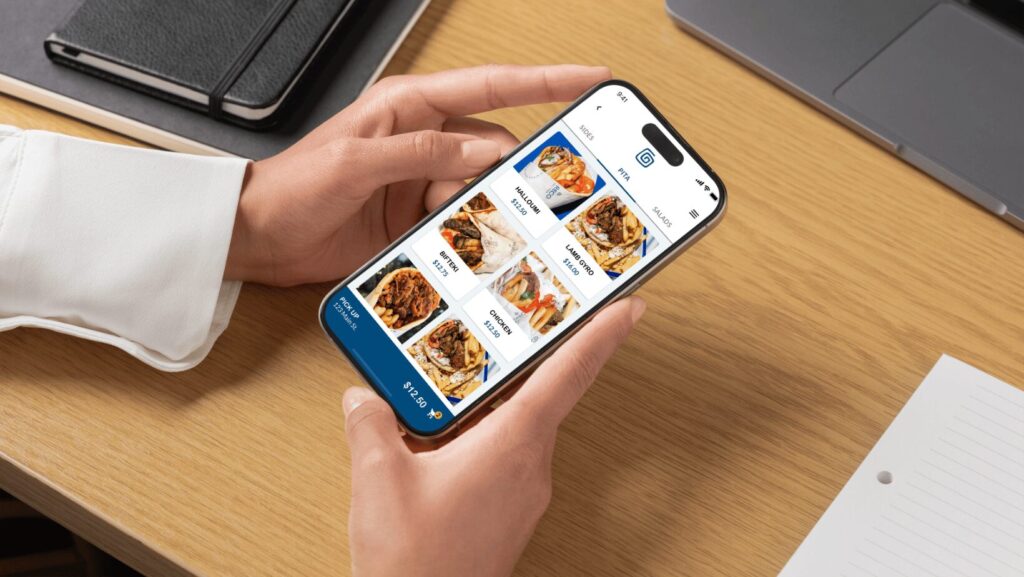
GRECO’s previous ordering provider lacked Square integration and loyalty across its six locations. Craver launched a branded app with Square menu and inventory sync plus rewards. Its published case study reports 12,000 app orders. Read GRECO’s full story.
Empire Tea & Coffee: shorten peak-hour lines
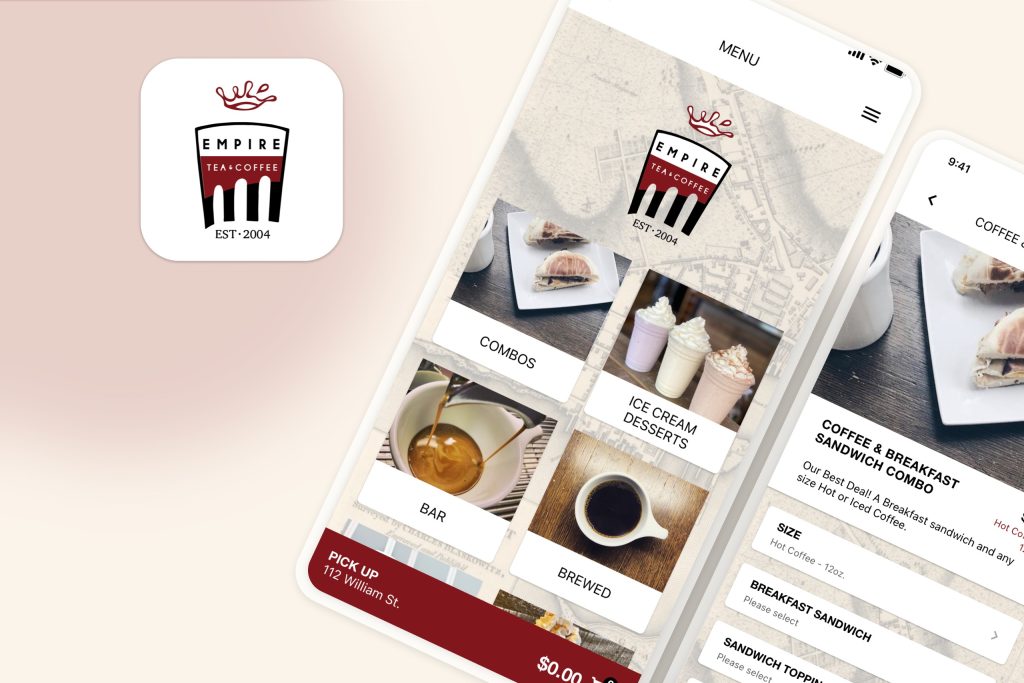
Empire Tea & Coffee faced long lines during busy hours. Craver launched a branded order-ahead app connected to its Square POS, sending app orders into the existing workflow. The case study reports that nearly 50% of orders came through the app after launch. Read Empire’s full story.
For your own app, define the workflow to fix and record a baseline before launch. Then track app orders, order share, or repeat visits.
Comparison Of Restaurant App Development Paths (With Pricing)
There are four common routes for restaurant app development: build in-house, hire an agency, use a no-code builder, or choose a white-label platform.
An in-house build uses your own team for design, development, testing, and support.
An agency builds a custom app to an agreed scope, with code ownership and ongoing support set by contract.
A no-code builder lets your team configure an app using the provider’s tools. A white-label platform starts with an existing app that a vendor brands and configures for your restaurant.
Costs and timing depend on scope, integrations, and contracts. Request an itemized quote for your specific requirements.
The table below compares typical deliverables, illustrative cost components, launch windows, ownership questions, and tradeoffs.
| Route | Planning comparison |
|---|---|
| In-house team | Includes: Custom design, development, testing, and integrations by your team. Setup cost examples: Hiring, staff build time, POS integration, testing, and store setup. Ongoing cost examples: Staff time, hosting, bug fixes, OS updates, and payment processing. Timeline: Typically months; hiring and custom integrations can add time. Ownership: You can control the code and accounts; confirm IP terms with staff and contractors. Limitation: You need a technical team for maintenance and new features. |
| Hired agency | Includes: A custom app designed, built, and tested to an agreed scope. Setup cost examples: Discovery, design, development, integrations, QA, and store submission; change requests may add cost. Ongoing cost examples: Support or billable updates, hosting, and payment processing. Timeline: Typically months; scope, revisions, and approvals affect timing. Ownership: Set by contract; confirm code handoff, accounts, and data export. Limitation: Scope changes can add cost, and handover needs a plan. |
| No-code builder | Includes: An app you configure from templates and supported integrations. Setup cost examples: Plan activation, templates or add-ons, your setup time, and integration help if needed. Ongoing cost examples: Subscription, usage tiers or add-ons, and payment processing. Timeline: Often days to weeks for a basic app when integrations are supported. Ownership: You control your content; the vendor controls platform code. Check export options. Limitation: Design and complex POS or workflow changes may be restricted. |
| Craver White-label platform | Includes: A custom-branded mobile ordering app and web ordering site with push notifications and direct Square POS integration. Non-Square businesses can use Craver’s iPad Tablet App without a POS integration. Setup cost: Craver says it charges no setup fee, but billing begins on day one. Branding, menu, and Square or tablet configuration are still part of launch. Ongoing price: Craver’s pricing page lists Core at $99/month per location in local currency, a 5% guest fee capped at $2 per order, and an optional Subscription Bundle starting at $49/month. Timeline: Craver says apps are typically ready to launch in a few days; confirm timing for your setup. Ownership: The app carries your brand. Confirm app-store account, customer-data, and export terms in your agreement. Limitation: Craver’s integration page lists direct Square POS integration and an iPad Tablet App for other POS systems. Craver says it does not offer custom integrations. |
Which Restaurant App Development Path Should You Pick?
So, how can you figure out which restaurant app development path is right for you and your business? Try answering the following questions to guide your answer.
1. How quickly do I need a functioning restaurant app?
- If you want to be taking orders in a few weeks, use a third-party platform.
- If you aren’t in any rush and you’ve got a year, build a custom app.
2. What is my budget for restaurant app development?
- If you have a low budget and would rather pay a small monthly fee, use a third-party platform.
- If you’ve got a pretty hefty budget and don’t mind spending upfront, build a custom app.
3. Do I have a “one-of-a-kind” app idea that nobody else has done?
- If no, use a third-party platform.
- If yes, build a custom app.
Craver’s Restaurant App Guide
Ready to start brainstorming what you want your restaurant app to have?
Our App Guide For Coffee Shops & Restaurants includes everything you need to build, launch, and actually grow your app, all in one place.
What you’ll learn:
- How to identify the specific problems you’re solving with an app, and how to determine the features you need.
- The differences between building an app in-house or using a third-party platform, focusing on what fits your budget and how fast you want to launch.
- A step-by-step plan for testing the app with staff and using marketing to drive downloads.
FAQs
Why should I build my own app if I’m already on DoorDash or UberEats?
How much does it cost to keep the app running after it’s built?
How much does it cost to hire a developer to make an app?