Why Coffee Shops Can No Longer Afford To Ignore Mobile Apps
Mobile apps have quickly become something that coffee shops can’t afford to ignore.
For coffee lovers, mobile apps represent convenience and ease, with loyalty options that make them feel important just for visiting their favorite coffee shops.
For coffee shop owners, mobile apps take operations to the next level, from streamlining ordering and boosting sales to improving the customer experience and increasing visibility.
So, how can you start taking advantage of everything mobile apps have to offer?
Simple: You start the mobile app development process.
In this guide, we’ll take you through the process of mobile app development for coffee shops, including the additional costs of choosing the third-party path, what app development paths you might want to choose instead (and why), and the must-have features of a successful coffee shop app.
We’ll also guide you through the five steps of coffee shop app development with Craver, so you know exactly what to expect when you work with us (or what to look for when you work with someone else).
Let’s get started!
The Real Cost Of Relying On Third-Party Ordering Platforms
While there are benefits to using third-party food delivery services, they all come at a cost to your coffee shop – and we mean that literally. Here are the biggest financial drawbacks to consider before jumping straight into a third-party mobile app for your coffee shop:
Commission Fees
Commission fees are one of the highest costs of using third-party mobile apps. Each platform charges its own set commission fee, with some reaching up to 30% per order – and that’s excluding all the other fees.
Here are commission fee examples for some of the most popular third-party coffee shop ordering apps:
| Platform | Commission Fees | Commission Fees on a $50 Order |
| Uber Eats | Up to 30% for delivery | Up to $15.00 |
| DoorDash | Up to 29% for delivery | Up to $14.50 |
| Grubhub | 10% for delivery | $5.00 for delivery |
Payment Processing/Service Charges
On top of commission fees, third-party mobile apps also charge a payment processing fee and/or service charges. At first, losing $1.83 per order doesn’t seem so bad… but over time, that number adds up (and so do your lost profits).
Here are payment processing/service fee examples for some of the most popular third-party coffee shop ordering apps:
| Platform | Processing Fees | Processing Fees for a $50 Order |
| Uber Eats | 2.9% for Webshop, distance-based fee for Uber Direct | $1.45 (Webshop) |
| DoorDash | 2.9% + $0.30 for online ordering | $1.75 |
| Grubhub | 3.05% + $0.30 per transaction | $1.83 |
Marketing/Promotion Fees
To get your coffee shop in front of more customers (and to keep up with competitors), many third-party mobile apps offer marketing features like sponsored listings or promotional orders. It’s a nice option, but it does cut right into your profits.
Here are marketing/promotion fee examples for some of the most popular third-party coffee shop ordering apps:
| Platform | Marketing/Promotion Fees |
| Uber Eats | Variable – you set the budget for sponsored listings or paid ads |
| DoorDash | $0.99 per promotional order + the cost of any discounts |
| Grubhub | Up to 20% marketing fee |
Cancellation & Penalty Fees
For most third-party mobile apps, cancellation and/or penalty fees are situation-dependent… but there are many circumstances in which Uber Eats, DoorDash, and Grubhub won’t pay you for a cancelled order, even if you’re not the one who cancels it.
And, even if you do get paid, you could still get the short end of the stick. Refund abuse on third-party delivery services is rising, costing your coffee shop both time and money.
Example: $50 Order Fee Calculation
Say you have a $50 order come in through Uber Eats, and you’re wondering what you’ll make after all the fees are deducted. Here’s what that breakdown looks like.
| Customer order total | $50.00 |
| Delivery fee | $15.00 (30% on the premium plan) |
| Payment processing fee | $1.45 (2.9%) |
| Promotion fee | $0.00 (you didn’t run any ads) |
| Cancellation fee | $0.00 (the delivery went smoothly!) |
| What you’ll get | $33.55 |
Losing $16.45 to non-negotiable fees definitely isn’t the most ideal situation for your coffee shop’s bottom line, so it may be time to explore coffee shop app development on your own.
The Pros And Cons Of Each App Development Path For Your Coffee Shop?
There are tons of different paths you can take with mobile app development, from third-party marketplace options to one that is completely custom-built. Different mobile ordering apps have different benefits, and only you can decide which works best for your business… but some options definitely have more pros than others.
To help make that decision-making process a little easier, here are the most popular paths for coffee shop app development and their pros/cons:
Third-Party Marketplace Apps (Uber Eats, DoorDash, etc.)
| Pros: | Cons: |
| Quick launch process -Third-party marketplace apps are usually fast to launch. Sign up, set your menu, activate your account, and that’s it. Convenient ordering – A lot of customers are already familiar with using delivery apps, making this a convenient option for coffee lovers. More exposure – Third-party marketplace apps can help people discover your coffee shop, including those who may not have found you otherwise. | Tons of high fees – There are a seemingly endless number of fees that come with using third-party apps that can eat into your profits. Lost opportunities – Third-party marketplace apps own all your customer data, so you can’t use it to grow and improve your business. Limited marketing – When you use a third-party marketplace, your marketing opportunities are limited to what they offer (and allow). |
Fully Custom-Built Apps
| Pros: | Cons: |
| Unlimited options – When a custom coffee shop app is designed just for you, the sky is the limit when it comes to branding and features. Custom integrations – You get to pick which integrations you need and want, so functionality is more flexible and totally customizable. Less time-consuming – With a custom coffee shop app, you get to play more of a consultant role, and the actual building part is off your already-full plate. | More expensive – Custom-built apps are typically more expensive to create, so you have to have a fairly large budget to make them work. More maintenance – If (or when) things stop working, you’re responsible for fixing them or paying out of pocket for someone else to do it. Slower launch process – Custom coffee shop app development isn’t fast. It can take up to a year (or more) for your app to be launch-ready. |
White-Label Coffee Shop Apps
| Pros: | Cons: |
| Cost-efficient -In terms of pricing, white-label coffee shop apps are usually a good middle-ground between third-party and custom-built. Well-rounded options – White-label coffee shop apps typically have a good range of solutions, with more features than third-party apps offer. More differentiation – With white-label apps, you’re not competing with other coffee shops on the same platform (like Uber Eats), so you can stand out. | Harder to scale – You’re limited by what the white-label app offers, so it may be harder to scale as your business grows or your needs change. Limited customizations – White-label apps aren’t as customizable. You can only choose from the customizations the company already offers. Solo delivery – If you want to offer delivery, you’ll have to figure it out on your own, whether that’s hiring your own drivers, using a white-label service (like DoorDash Drive On-Demand), or doing it in-house. |
Must-Have Features In A Coffee Shop Mobile App
Once you decide whether you’re going with a third-party, white-label, or custom coffee shop app, it’s time to figure out what features you want your app to have. Ultimately, it’s up to you what you want your coffee shop app to look like – but there are a few must-have features we’d definitely recommend you keep an eye out for in the app development process:
Mobile Ordering & Scheduled Pickup
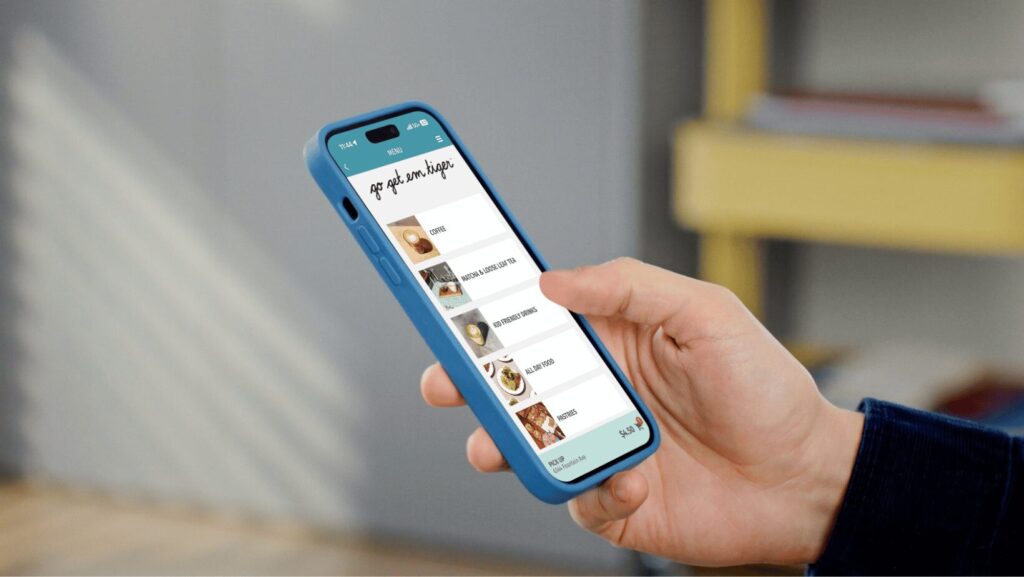
One feature your mobile app definitely needs is ordering ahead and scheduled pickups. Not only does this feature help with reducing lines and improving service speed, but it also enhances the customer experience. In just a few taps, your customers can order their favorite drinks and baked goods, knowing exactly when to pick them up for maximum freshness.

Custom-Branded App (iOS & Android)
While you’re still in the mobile app development process, you’ll also want to make sure the option you pick is customizable. The option you choose should be customizable with your coffee shop’s logo, colors, and branding – not just a generic, cut-and-paste marketplace look. After all, what’s the point of a dedicated coffee shop app if it doesn’t look uniquely yours?
Loyalty Rewards & Membership Programs
A coffee shop loyalty program is another must-have feature for your mobile app. Customizable points systems, free drinks, and discounts are all great ways to build long-lasting customer loyalty and lifetime value (and are features you should look for when picking a loyalty app for your coffee shop). And, if you want to take loyalty to the next level, look for an app provider that offers membership programs and coffee shop subscription services, too.
Zero-Commission Delivery
Zero-commission delivery is also a great feature for your coffee shop to have, especially from the perspective of coffee shop owners looking to reduce costs. Start by figuring out how you want to offer delivery, whether that’s using your own drivers or using DoorDash/Uber Eats driver integrations, then make sure your coffee shop app provider can make that happen.
Push Notifications & Personalized Promotions
A mobile app that offers push notifications and personalized promotions is a must for both the customer experience and your own marketing strategy. Sending personalized promotions can increase customer loyalty and give you invaluable insight into customer preferences, offering the data you need to drive future promotions, menu updates, events, and more.
Square POS Integration
If your coffee shop uses Square, then Square integration capability is another must-have feature for your own coffee shop app. When mobile orders sync directly to your POS, you avoid issues like accidental double orders, manual entry mistakes, and tablet chaos, creating a better customer experience and less stress for your employees.
Menu Management & Real-Time Updates
Your coffee shop mobile app also needs menu management and real-time update capabilities. The provider you choose should have the mobile technology for you to update items, pricing, availability, and modifiers from an easy-to-use dashboard. With an always-updated system, managing customer preferences is easy – and so is delivering a strong customer experience.
How To Execute Your Coffee Shop App Development In 5 Steps
1. Book A Demo & Map Your Goals With Craver’s Team
First, you’ll book a demo and meet with our team to talk about the big picture. We’ll show you how Craver apps work, dive into the “why” behind your mobile app exploration, discuss the features you want to have, and chat about your high-level and long-term goals.
2. Customize Your App’s Branding, Menu, & Loyalty Program
The next step in our mobile app development process is customization. You’ll share your coffee shop’s branding and menu with our team, and we’ll get to work designing a mobile app that feels just like you. We’ll also work on creating and building out your loyalty program at this stage.
3. Connect Your Square POS & Delivery Integrations
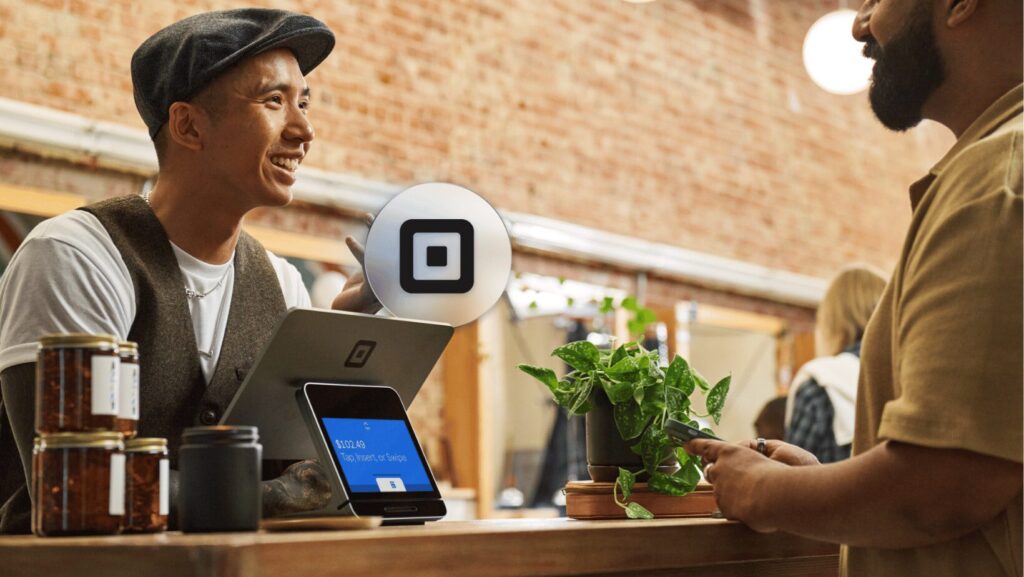
Once your app is just about ready to go, we’ll help you get all your tools and systems set up. That includes connecting your Square POS for seamless ordering, delivery integrations to serve customers near and far, and whatever else you need to keep things running smoothly.
4. Soft-Launch With Your Team & Train Your Staff
Next, it’s time for soft-launching and coffee shop app testing. We’ll get your app up and running internally, so you can train your team on how it functions and do some initial testing to make sure everything is working how it’s supposed to. We’ll work out any major issues before it launches.
5. Go Live, Promote To Guests, & Optimize With Data
The fifth and final step is going live! You’ll want to promote your app to guests before it goes live, and during, making sure as many people know about it as possible. As time goes on, you’ll also use your app data to improve and scale based on real customer behavior and data.
And remember: App development for coffee shops is an ongoing process. We’ll always be available to troubleshoot or make adjustments, especially in the first few months.
What Does It Cost To Get A Coffee Shop App Built?
The cost of building a coffee shop app depends on which path you take for the mobile app development process. Custom-built apps are typically way more expensive than third-party apps, with white-label solutions falling somewhere in between.
Craver, for example, has plans starting at $99, including everything from a custom-branded mobile app and Square integration to white-label delivery, unlimited commission-free orders, and a dedicated onboarding manager.
For other app development paths, the price point is usually much higher. Here are some examples of prices you can expect when taking the white-label route:
- Apptunix starts at $10,000
- Bopple costs $399 a month
- PickBrew costs $349.99 a month
- Lunchbox starts at $300 a month
- Flipdish costs from $199-249 a month
The custom-built route is a little harder to price out because most custom apps require custom quotes. That said, a custom-built app typically costs anywhere from $5,000 to $300,000, depending on who you work with, the features you want, and how fast you need it.
Signs Of A Successful Coffee Shop App
So, you’ve finally got a coffee shop app set up and ready to go.
Now what?
Now it’s time to keep an eye on whether things are headed toward success – or whether they still need some work. Here are three signs to look out for that mean coffee shop app success:
1. People are actually using it.
Metrics like app downloads can help assess how many people are using your coffee shop app, but remember to look at other metrics like your customers’ loyalty progress, number of mobile orders, and any other signals that suggest people are actively using your new app.
2. It’s increasing order frequency.
Another sign that your coffee shop app is successful is an increase in mobile order frequency. While in-store and online orders are always nice – and you don’t want to see them disappear completely – the more people use the app to order, the better.
3. It’s reducing pressure on staff.
One of the main operational benefits of a coffee shop mobile app is how much pressure it can relieve from your staff’s day-to-day. So, to check how successful your coffee shop app is, check whether your staff feel less stressed than before. If yes, it’s working!
FAQs
It depends. Mobile app development for coffee shops can be very expensive if you go the custom-built route, mid-range if you go the white-label route, or inexpensive if you go with third-party marketplace options. Only you can decide what option you have the budget for!
What are the essential features of a coffee ordering app?
Mobile ordering for a better customer experience, loyalty programs to build long-time customer value, push notifications to keep your customers in-the-know, and POS integrations for seamless operation are all essential features to look for during coffee shop app development.
What’s the difference between a coffee shop app and using third-party delivery apps?
The main difference is how the app empowers your brand to build loyalty. With a coffee shop app, you can offer rewards and points systems, building customer loyalty with rewards like free drinks and discounts. Third-party delivery apps don’t offer the same loyalty options, and they keep all your customer data – something to keep in mind while you’re exploring your options.
Can a custom coffee shop app integrate with my existing POS system?
A good coffee shop mobile app can merge with your existing POS. Integrating with systems like Square or Clover is key to improving both the customer experience and your day-to-day operations. As you’re working your way through the coffee shop app development process, make sure the pathway you choose includes POS integration.
How long does it take to develop a dedicated coffee shop app?
It depends on the coffee shop app development pathway you take. A custom coffee shop app can take months (or even up to a year) to be fully finished and ready to launch, whereas third-party or white-label options are generally faster because they’re not 100% customized.
How do I convince my customers to download our coffee shop mobile app?
In-store promotional signage, word-of-mouth encouragement from your baristas, and sign-up discounts are all great ways to encourage customers to download your coffee shop mobile app.
Is an app worth it for a single-location coffee business?
Yes, mobile app development is a good idea even if you’ve only got one location. A mobile app can help you handle peak hours with fewer obstacles, build a reliable customer base (with data you can use to scale and improve), and improve the customer experience with loyalty and rewards, so coffee lovers become your brand ambassadors.