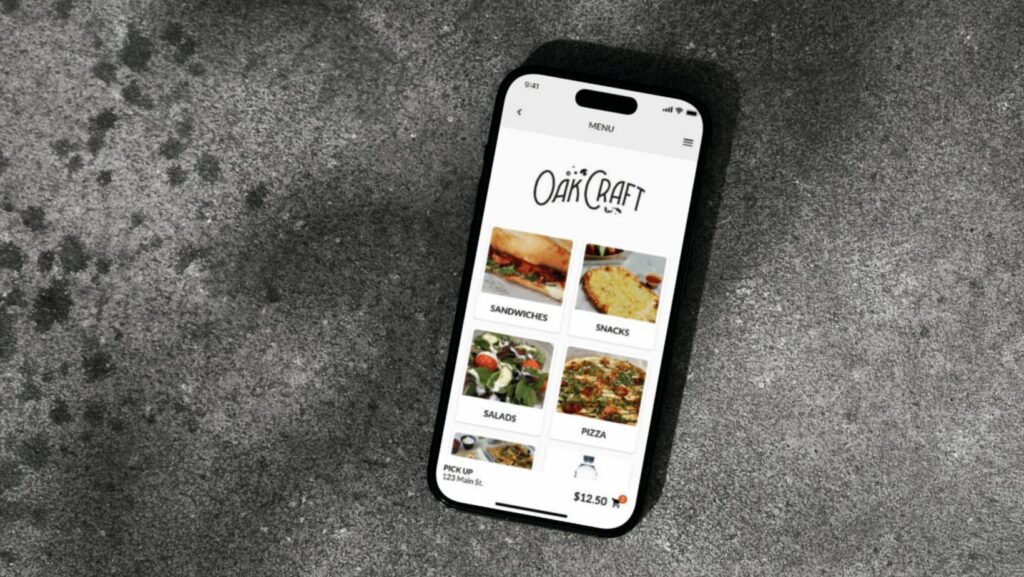
So, you’ve just set up a basic restaurant app… now what?
Now it’s time to lay the groundwork and make sure that when customers actually start using your restaurant app, it’s as successful as possible.
In this blog, we’ll take you through the five best practices for launching your restaurant app, from creating a consistent experience to making the download process as easy as possible. We’ll also share some pro tips about promoting your app and getting real customer feedback.
Let’s dive in!
A quick note on collaboration
This blog was written in collaboration with Chloe Woolsey, Director of Customer Experience at Craver.
With ~15 years of experience in quick-service restaurants and in-depth knowledge of the hospitality space, Chloe now leads Craver’s Customer Success team, helping our customers launch their own custom restaurant apps.
Guided by Chloe’s years of expertise and in-depth knowledge of Craver’s customers, here are the five restaurant app launch best practices you need to know.
5 restaurant app launch best practices
1. Make your app consistent with your in-store experience
Our first best practice for launching your restaurant app is making sure your online and in-store experiences are consistent.
Customers should be able to access the same things on your restaurant app as they can in person, including:
- The entire menu
- Limited-time offers
- All modifiers and add-ons
- Weekly/daily promotions and deals
- Your loyalty or membership program
This is important for two big reasons.
First, it creates a cohesive experience for both your digital and in-store customers. Customers know they’re getting the same high-quality experience — and reaping the same benefits and rewards — no matter where or how they order.
Second, it opens up more opportunities for repeat visits. If a customer knows your app has everything they love on it, they won’t just wait around to visit in-person. They’ll place an online order (or two!) until they can stop by again.
→ Pro Tip: Make sure your restaurant’s in-app offers are just as good (if not better!) than your in-store offers. It’ll help encourage customers to try out the app!
2. Train your staff to use the app before it goes live
Our second best practice for launching your restaurant app is training your staff members on how to use the app before it goes live
Get staff members to download the app and poke around on it themselves before launching it to your customers. This gives your team an “inside” view of using the app as a new customer, so they’ll be ready to answer questions and offer support if and when it’s needed.
It’s also a good idea to name one of your staff as the “app champion” — someone to become the expert on all things to do with your restaurant app. This person will be the main source of truth for all things to do with your restaurant’s app, and they can even liaise with the people making your app to simplify (and own) the update process.
→ Pro Tip: If you want app feedback from real customers, offer them a free item and/or a discount in exchange for their thoughts!
3. Make your app easy to download
Our third best practice for launching your restaurant app is making your app as easy as possible for customers to download.
The best way to do this is to simplify the app download process by eliminating as many unnecessary steps as possible. So, instead of asking your customers to do everything manually — unlock their phone, open their device’s app store, search for your restaurant’s name, and finally download the app — try a QR code instead.
QR codes are scanned with a phone camera, which doesn’t even require a device unlock. From there, customers are sent to your restaurant app’s landing page, where they can get more information about the app and how to download it.
This makes downloading your restaurant app an easier, more direct process for your customers — plus, they’re free with tools like Adobe!
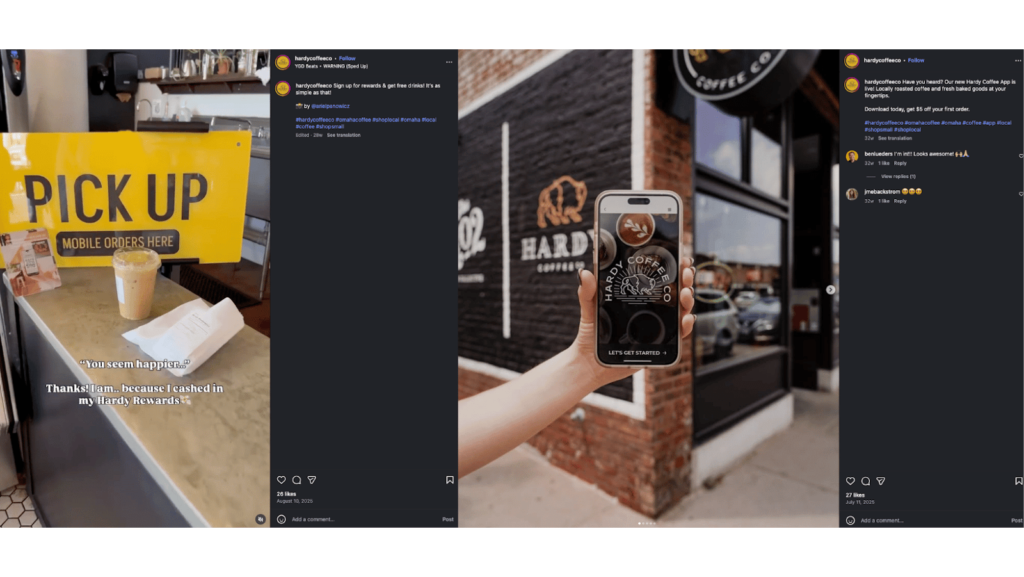
→ Pro Tip: Once your app launches, share the download link (or QR code) to your website and social media, so interested customers can download it from anywhere and everywhere.
4. Give strong incentives to download the app
Our fourth best practice for launching your restaurant app is to offer customers strong incentives to download the app.
Even if your restaurant app is the best of all time, customers still need a reason to download it in the first place — and that’s where incentivization comes into play. Depending on what you want to offer (and what aligns with your restaurant’s business plan), here are a few app download incentives you might consider trying:
- 50% off your first mobile order
- 25% off your first three mobile orders
- A free appetizer with your first mobile order
- 500 free loyalty points when you download the app
You can also set up in-app push notifications to let customers know about ongoing promotions and new discounts/offers, so they keep coming back after that first download.
→ Pro Tip: Set up in-app push notifications to let customers know about offers as soon as they happen. The more value they get from your restaurant app, the more likely they are to use it!
5. Make sure to promote your app
Our fifth best practice for launching your restaurant app is to promote it as much as you can.
There are a few tried-and-true ways to promote your restaurant’s new app, including:
- Printing out flyers/posters promoting your app and displaying them in prominent areas around your restaurant (this is a good place to put the QR code!)
- Creating a series of social media posts about your new app, showcasing its features, the deals you can access, your loyalty program, etc.
- Sending out a series of informative emails about your new app, some leading up to the launch, and some again when customers can actually download it
You don’t have to spend a lot doing this, either. As long as your printed materials have a QR code, and your social media posts are as consistent as possible, you’re doing great!
→ Pro Tip: Check out this blog to get app launch promotion ideas!
Wrap up
Launching a top-tier restaurant app is easiest when you choose a partner that has all the features you need in one platform — like Craver.
With Craver, you can create a restaurant app with features like:
- A customizable loyalty program to reward your regulars
- Best-in-class integrations to save you time and effort
- In-app notifications that help you connect to your customers
…and more.
FAQs
How do you promote your restaurant app?
How do you get people to download your app?
How do I train my staff to use the app?